

Add-on · works with all 27
 Add-on · works with all 27
Lead capture for any experience
Add a short, consented registration step to any experience. Guests get their photo, game or film. You get a clean contact list in your CRM the same day.
How it works
From hello to CRM in four steps
The registration sits inside the experience, so it feels like part of the fun rather than a form at a desk.
- 01RegisterA branded screen asks only for the fields you choose.
- 02ConsentClear opt-in wording you approve, before any photo or play.
 03Experience unlocksThe photo, game or film starts straight away.
- 04SyncContacts reach your CRM with the experience they used.
Works with every experience
Popular pairings
Lead capture fits in front of any of the 27. These are the ones clients pair it with most.
All 27 experiences- + Lead captureAI Photo BoothRegister, then get your AI portrait
 + Lead captureHeadshot StudioRegister, then sit for a LinkedIn headshot
 + Lead captureSpin-to-Win KioskRegister to spin; every spin wins
 + Lead captureCollectible Trading CardsRegister, answer the quiz, get your card
 + Lead captureMosaic Check-inRegistration is the check-in photo
 + Lead captureAI GameRegister to play and save your score
What you get
 What you get
Data you can act on the next morning
Every contact arrives with the experience they used and their consent status, ready for follow-up.
- Registrations
- 1,248
- Opted in to follow-up
- 92%
- Experiences connected
- 3
| Name | Company | Experience | Consent | |
|---|---|---|---|---|
| Jane Tan | jane@company.com | Northwind | AI Photo Booth | ✓ Opted in |
| Arjun Mehta | arjun@studio.co | Studio Co | Headshot Studio | ✓ Opted in |
| Mei Lin | mei@brand.sg | Brand SG | Spin-to-Win | ✓ Opted in |
| Lucas Ong | lucas@agency.com | Agency | AI Photo Booth | — Not given |
Built in
A few things we can do
We set up the flow, the fields and the sync, and check the data with you after the event.
001Fields you choose
Ask only what you need. Fewer fields, more sign-ups.
002Consent you approve
Opt-in wording agreed with you before the event; unticked by default.
003CRM sync
Contacts sync to HubSpot, or export as CSV for any other CRM.
004Skip option
Let guests play without registering if queue speed matters more.
005Post-event report
Registrations, opt-in rate and sessions per experience.
Proof
Used at TOKEN2049
Three capture stations on the expo floor, with registration before every session.
Read the case study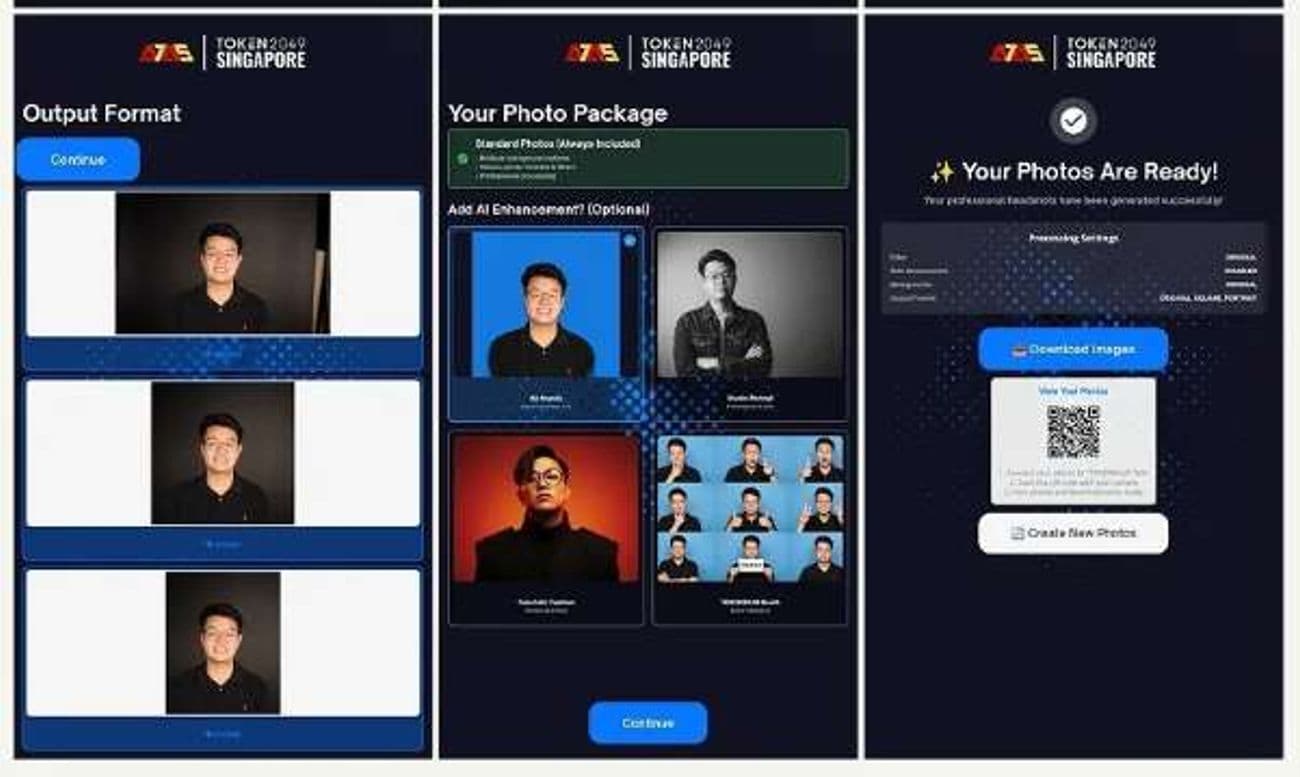 TOKEN2049Every session began with a registration step3capture stations2show days40days, contract to live
FAQ
Questions about lead capture
Who owns the data?
You do. We collect it on your behalf, deliver it to your CRM or as an export, and delete our working copy on the schedule agreed in your contract.
How is consent handled?
Opt-in wording is agreed with you before the event, and the consent box is unticked by default.
Which CRMs does it work with?
Contacts sync to HubSpot, or export as CSV for any other CRM.
Will registration slow the queue?
Only fields you choose are asked, and you can let guests play without registering if queue speed matters more.
Next step